
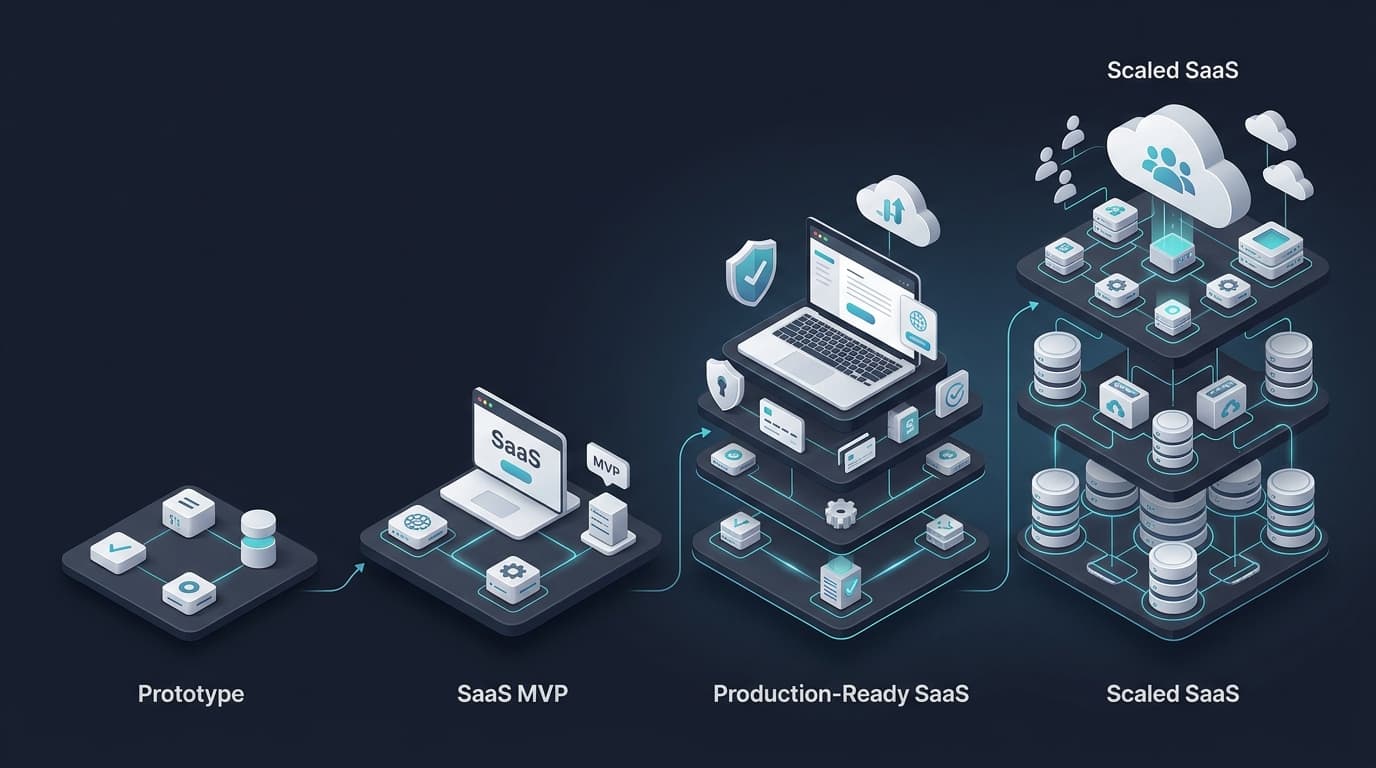
How much does it cost to build a SaaS in 2026? The answer is usually not "$50,000 because SaaS is complicated" or "$1,000 because AI can write the code." Both answers miss the real question: what exactly are you building, and how much engineering does it need to survive real users?
The most expensive SaaS is often not the one with the highest development budget. It's the one that spends money building the wrong product, then has to rebuild it.
For an early-stage founder, the goal should be simple: keep the first version narrow, but don't build it so cheaply that you create problems you can't scale out of later.
SaaS Development Cost at a Glance
These are practical budgeting ranges for startup web SaaS products, not fixed industry prices. Your actual cost depends on product scope, technical complexity, integrations, design requirements, team structure, and the quality bar you need for launch.
| Product stage | Typical development budget | Typical timeline | What you’re really paying for |
|---|---|---|---|
| Prototype / validation | $500–$2,500 | 1–3 weeks | Core flow, screens, early proof |
| Lean SaaS MVP | $3,000–$8,000 | 4–8 weeks | Authentication, database, core workflow, basic admin |
| Production-ready SaaS | $7,000–$20,000 | 6–12 weeks | Security, testing, payments, deployment, monitoring, stronger architecture |
| Complex SaaS | $20,000–$50,000+ | 3–6+ months | Multiple roles, advanced workflows, integrations, AI, billing, scale requirements |
| Ongoing engineering | $1,500–$3,000+/month | Ongoing | Scaling, features, refactoring, performance, infrastructure |
At Seebify, for example, our public Product Launch Engineering package is currently priced at $3,000–$7,000 for a 4–6 week engagement, covering architecture, database design, authentication, core product development, APIs, deployment, and a production-ready codebase.
That's why the phrase "how much does it cost to build a SaaS?" needs a more useful answer than one number. The right question is:
How much does it cost to build the version your business actually needs right now?
What Actually Makes a SaaS Expensive?
Two SaaS products can look similar on the surface and have completely different development costs.
A simple appointment booking tool might need user authentication, calendar management, booking creation, email notifications, and an admin dashboard.
A marketplace with the same-looking dashboard might additionally need multiple user roles, vendor onboarding, availability rules, payment processing, automated payouts, refunds, reviews, messaging, search, fraud prevention, and complex permissions.
The interface may look similar. The engineering problem is completely different. This is why counting screens is a poor way to estimate SaaS development cost — a better approach is to estimate the business workflows behind those screens.
The 7 Biggest Factors That Determine SaaS Development Cost
1. Product Scope
Every feature has a cost. But the bigger cost often comes from what happens around the feature.
Take a simple "subscription" feature. At first, it sounds like "add Stripe subscriptions." In production, that can mean creating subscriptions, handling checkout, storing customer and subscription IDs, processing webhooks, handling failed payments, upgrading and downgrading plans, cancelling subscriptions, handling prorations, updating access permissions, sending notifications, and recovering from webhook failures.
The mechanism is a payment integration and a state-management system. The business consequence is that billing becomes part of your core product logic, not just a button connected to Stripe — which is why seemingly small features can have large engineering costs.
2. Authentication and User Roles
Authentication is easy to underestimate. A basic SaaS may need:
Sign up → Login → Dashboard
A real B2B SaaS may need:
User → Organisation → Team → Role → Permission → Resource
Mechanically, this means authentication, sessions, authorisation rules, tenant isolation, password recovery, email verification, and possibly social login. The business consequence is significant: a mistake here can expose another customer's data, so the engineering standard needs to be much higher than it would be for a basic marketing website.
3. Database and Multi-Tenant Architecture
Most SaaS products aren't just websites with a database attached — they're systems where multiple customers share the same application. A multi-tenant architecture might store data around concepts such as:
Organisation
   ↓
Members
   ↓
Users
   ↓
Projects
   ↓
Transactions
Mechanically, every important query needs to understand which organisation owns the data. The business consequence is that tenant isolation affects almost every part of the backend, from database queries to API permissions and reporting. Getting this wrong early can make future scaling and security work much more expensive.
4. Payments and Billing
Payments introduce a different kind of complexity. The code itself may not be huge — the edge cases are. You have to think about successful payments, failed payments, expired cards, refunds, webhooks, duplicate events, subscription changes, currency, taxes, invoices, and access after cancellation.
Mechanically, payment providers such as Stripe handle much of the card-processing infrastructure, while your application handles the business state around those transactions. The business consequence is that payment reliability directly affects revenue, so this isn't an area where "it works on my laptop" is enough.
For current U.S. Stripe Standard pricing, domestic card transactions are listed at 2.9% + $0.30 per successful transaction, with additional fees possible for international cards or currency conversion. Always verify the pricing for the countries and payment methods your SaaS will use before launch.
5. Integrations
Integrations are another common source of underestimated costs. A founder might say "we only need three integrations" — and those three integrations could be Stripe, Google Calendar, and Slack. Each one has its own authentication flow, API limits, error states, webhooks, data mapping, and changing external dependencies.
Mechanically, an integration is usually an API connection. The business consequence is that your product now depends partly on software you don't control, which means retry logic, failure handling, logging, and monitoring all become part of the project.
6. AI Features
Adding AI doesn't automatically make a SaaS expensive. The expensive part is usually everything around the model:
User request
   ↓
API
   ↓
Background job
   ↓
AI model
   ↓
Validation
   ↓
Database
   ↓
Notification
Mechanically, the application needs to manage model calls, latency, failures, token usage, asynchronous jobs, and potentially human approval. The business consequence is that an AI feature is often a workflow, not just an API call.
This is exactly the approach we take at Seebify: start with the business problem, then add AI where it produces measurable value rather than adding an AI button because it's fashionable. You can read more about our approach in Practical AI & Automation for SaaS: What Actually Works.
7. Production Readiness
This is where many "cheap SaaS" estimates fall apart. A demo can work without automated testing, backups, monitoring, error tracking, secure secrets management, rate limiting, deployment automation, staging environments, database migration discipline, or rollback procedures. A production product can't safely ignore all of them.
Mechanically, production readiness means building systems around the application that help it behave predictably when things go wrong. The business consequence is simple: your customers can use the product without becoming your testing team.
We cover this transition in our guide From Zero to Launch: Engineering a Production-Ready SaaS in 6 Weeks.
What Does a Lean SaaS MVP Actually Cost?
A lean MVP doesn't mean "cheap code." It means small scope.
Consider a SaaS with authentication, a user dashboard, a core workflow, a PostgreSQL database, a basic admin panel, Stripe payments, and a production deployment. That can be a legitimate SaaS MVP.
Now compare it with adding mobile apps, real-time chat, advanced analytics, multiple integrations, AI automation, complex permissions, custom reporting, international billing, and advanced notifications. The second product may be several times more expensive. Neither is necessarily better — the first one may simply be the correct product for month one.
This is the same principle behind our earlier work on building a SaaS MVP with a small or zero budget: reduce unnecessary scope before reducing engineering quality.
How Much Does SaaS Infrastructure Cost?
The good news is that early infrastructure can be surprisingly affordable. You don't need a massive AWS setup just because you're building a SaaS.
A lightweight stack might use Next.js for the application, Vercel for deployment, Supabase or PostgreSQL for the database, Stripe for payments, an email provider for transactional messages, Sentry or another monitoring tool, and GitHub for source control and CI/CD.
For example, as of September 2026, Vercel lists its Pro plan at $20/month, while Supabase lists its Pro plan from $25/month before additional usage and compute costs.
That means a simple managed infrastructure setup can start in the tens of dollars per month, before email, monitoring, storage, domains, payment fees, AI usage, and other services. The important distinction is:
Infrastructure cost and development cost are two different budgets.
A founder might spend $5,000 building the product and only $50–$200 per month running the first version. Later, the relationship can change as usage increases.
What Should You Budget After Launch?
Building the SaaS is only the beginning. Once real users arrive, you may need bug fixes, customer-requested features, database optimisation, performance improvements, security updates, dependency upgrades, monitoring, infrastructure changes, new integrations, and product experiments.
This is why SaaS companies need to think in terms of lifetime engineering cost, not just launch cost. At Seebify, our public SaaS Scaling service currently starts at $1,500–$3,000 per month for ongoing performance optimisation, architecture improvements, feature development, refactoring, infrastructure work, and engineering support.
The exact number matters less than the principle:
Budget for the product after launch, not just until launch.
Real Examples From Seebify's Work
The easiest way to understand SaaS development cost is to look at the types of systems we actually build.
EventFlow is a competition-management platform with multi-level scoring, judge assignments, approval workflows, scheduling, invoicing, crossover fees, and discounts. The visible product might look like "a dashboard." The engineering problem is much larger because the system has interconnected rules, permissions, workflows, and calculations.
NutriFlow is a subscription platform for meal-prep and wellness businesses. It includes recurring billing, delivery scheduling, configurable cutoffs, and dynamic delivery fees based on location. The expensive part isn't the dashboard — it's the business logic behind subscriptions, scheduling, pricing, and delivery rules.
RetailFlow combines product catalog management, barcode support, customer billing, invoicing, inventory monitoring, and stock alerts. Again, the cost comes from the system's transactions and business rules, not simply from the number of screens.
You can explore these and our other products on the Seebify Work page.
The Cheapest Way to Build a SaaS Is Not to Build Everything
This is probably the most important lesson.
Suppose your full product vision has 30 features. You might only need five to validate whether people will pay. Those five features become your MVP. The other 25 can wait. That approach gives you:
Less engineering → faster launch → earlier user feedback → less wasted capital
But there's an important balance. Do not confuse small scope with poor engineering. A good MVP can still have a proper database schema, secure authentication, clean APIs, tenant isolation, tested critical flows, production deployment, and error monitoring. You're reducing what you build, not deliberately reducing how reliably you build it.
Can AI Make SaaS Development Cheaper?
Yes — but not in the way many founders expect.
AI coding tools can reduce the time needed for boilerplate, UI scaffolding, documentation, code generation, refactoring, test generation, and debugging assistance. But AI doesn't remove the need for architecture, product decisions, security, database design, validation, testing, infrastructure, code review, and production monitoring.
The result is that AI can lower the cost of producing certain pieces of software, but it doesn't automatically lower the cost of producing a reliable SaaS business. That distinction is becoming increasingly important as more founders use AI-assisted development tools to build initial products.
A Better SaaS Budgeting Formula
Instead of asking "how much does a SaaS cost?", break your budget into six buckets:
- Product discovery — what exactly are you building?
- Design — what does the user experience need to look like?
- Engineering — frontend, backend, database, authentication, integrations, billing, and business logic.
- Production readiness — testing, security, deployment, monitoring, backups, and reliability.
- Infrastructure — hosting, database, storage, email, observability, third-party services, and AI usage.
- Post-launch engineering — bug fixing, new features, scaling, optimisation, and maintenance.
This makes the number much more useful.
So, How Much Should You Actually Budget?
For a founder validating a focused SaaS idea, think about the budget like this:
- $500–$2,500 for a prototype or early validation build.
- $3,000–$8,000 for a focused SaaS MVP with a narrow feature set.
- $7,000–$20,000 for a more complete production-ready SaaS with stronger security, testing, payments, integrations, and deployment requirements.
- $20,000–$50,000+ for more complex products involving multiple roles, advanced workflows, marketplaces, significant integrations, AI systems, or mobile and web platforms.
These are planning ranges, not guarantees. Your real number should come from your product's workflows, not from an arbitrary "cost per screen."
The Biggest SaaS Development Cost Mistake
The biggest mistake founders make is often not choosing the wrong technology. It's building too much before learning enough.
You can spend six months building advanced analytics, complex dashboards, multiple user roles, dozens of integrations, AI features, automation, and mobile apps — and still discover that customers only wanted the simplest part of your original idea.
Good engineering should reduce that risk. Start with the smallest product that can prove the business. Build the foundation properly. Then let real usage tell you what deserves the next dollar.
Final Takeaway
The cost to build a SaaS in 2026 can range from a few thousand dollars to tens of thousands — or much more — but the most useful number isn't an industry average. It's the cost of building the right version of your product for its current stage.
A sensible SaaS budget should answer three questions: What must we build? What does it need to be production-ready? What can wait until customers prove we need it?
The best SaaS teams keep the first version narrow without turning it into throwaway software. That means fewer features, cleaner architecture, controlled infrastructure costs, and enough production engineering to support real users.
Key Takeaway
Building a SaaS and Unsure What Your Budget Should Be?
At Seebify, that's the approach we use to help founders build, launch, and scale production-ready SaaS products without overengineering the first version.
Start with the product scope, and we'll help you work backwards from there.