
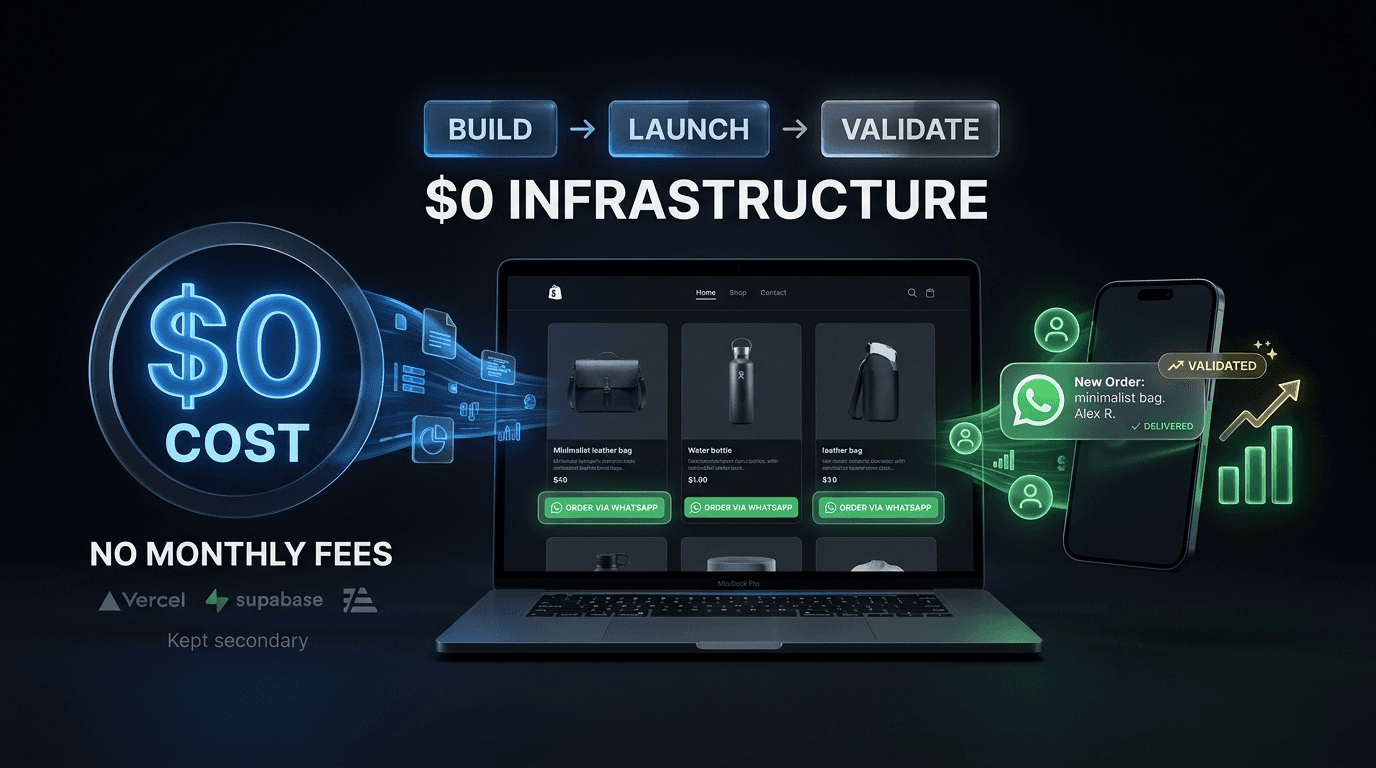
A small business doesn't always need a full ecommerce platform.
Sometimes, the actual requirement is much simpler:
- Customers need to browse products.
- They need to add products to a cart.
- They need to send the order to WhatsApp.
- The business owner needs to manage products and inventory.
That's it.
Recently, a founder approached me with exactly this requirement.
He had more than 100 products but didn't want to pay for Shopify or monthly hosting before knowing whether the business would actually need those features.
Instead of building a traditional ecommerce platform, we started with the smallest system that could solve the actual problem.
And that decision changed the entire architecture.
The Problem: 100+ Products, But Almost No Budget
The business owner had two main requirements.
For customers
Customers needed to:
- Browse products.
- View product details.
- Add products to a cart.
- Send the order directly to WhatsApp.
For the business owner
The admin panel needed to allow him to:
- Add products
- Edit products
- Upload product images
- Set prices
- Manage inventory
What we didn't need (and didn't build)
- Customer accounts
- Online payments
- Checkout
- Email notifications
- Complex order management
- Subscription billing
The question wasn't:
"How do we build a complete ecommerce platform?"
The better question was:
"What is the simplest system that allows this business to start selling?"
That distinction matters.
Why We Didn't Use Shopify
Shopify is a great solution for many businesses.
But using a powerful platform doesn't automatically make it the right solution for every business.
In this case, the founder didn't need most of Shopify's functionality.
There were no online payments.
There were no customer accounts.
There was no complicated checkout process.
Orders were going to WhatsApp.
Adding a large ecommerce platform would have introduced features and costs that weren't necessary for the first version.
So instead of paying for infrastructure before validating the business, we built only what was required.
The MVP We Actually Built
The customer experience was intentionally simple.
Customer side
The flow looked like this:
Browse products → Add to cart → Send order to WhatsApp
When the customer completed their cart, the selected products and order information could be sent directly to the business owner's WhatsApp.
There was no traditional checkout.
No account creation.
No payment gateway.
No unnecessary steps.
Admin side
What the admin panel allowed
- •Product names
- •Product descriptions
- •Prices
- •Product images
- •Inventory
This gave him the important part of an ecommerce system without building features that weren't required yet.
The Technology Behind It
We intentionally chose a lightweight, serverless architecture.
The initial stack
- •Next.js
- •— frontend and application
- •Vercel
- •— deployment and hosting
- •Supabase
- •— database and backend services
The initial infrastructure could operate within the available free tiers, making the monthly infrastructure cost effectively $0 at the starting usage level.
That doesn't mean every ecommerce business will permanently cost $0.
Free tiers have usage limits, and costs can increase as traffic, storage, database usage, or other requirements grow.
The important point is different:
You don't always need to pay for infrastructure before you have the usage that requires it.
Why We Chose a Serverless Architecture
For a small ecommerce MVP, running and maintaining dedicated servers can be unnecessary.
The goal was to minimize infrastructure management while keeping the application easy to deploy and maintain.
With Next.js deployed on Vercel and Supabase handling the data layer, we could avoid managing traditional servers while still having a proper application architecture.
More importantly, the architecture wasn't designed around today's requirements alone.
It left room to add functionality later.
What we can add when the business grows
- •Online payments
- •Customer accounts
- •Order management
- •Email notifications
- •SMS notifications
- •Advanced inventory management
- •Analytics
- •Product search
- •Discount codes
- •Multiple payment methods
The important part is that none of these features were necessary to validate the business initially.
The Real Goal Wasn't Saving $10 or $30
It might look like this project was simply about avoiding hosting or Shopify costs.
That wasn't the main goal.
The real goal was business validation.
What we could have wasted time building (but didn't)
- Payment processing
- User authentication
- Checkout
- Order tracking
- Email automation
- Advanced dashboards
- Complex inventory systems
And then discovering that customers don't actually use the product.
That's expensive.
An MVP should reduce that risk.
The first version should help answer a simple question:
Will people actually use this?
If the answer is yes, the product can evolve.
If the answer is no, you've avoided spending months building infrastructure nobody needed.
What We Deliberately Didn't Build
This is probably the most important part of the project.
We deliberately left features out.
No customer accounts
Customers didn't need to create accounts just to order products.
So we removed the registration and login flow.
No payment gateway
The business wasn't taking online payments.
So there was no reason to integrate Stripe or another payment provider.
No traditional checkout
The order was completed through WhatsApp.
So building a complicated checkout experience would have added unnecessary work.
No email system
There was no requirement for automated emails.
So we didn't build one.
No complex order management
The initial workflow didn't require a sophisticated order management system.
That could be added later if the business needs it.
What This Teaches About Building MVPs
There is a common mistake when building software for startups and small businesses.
People often ask:
"What features should the product have?"
A better question is:
"What does the user actually need right now?"
Those questions produce very different products.
A business may eventually need 30 features.
But its first version might only need five.
That's not bad engineering.
That's good prioritization.
Start With the Business Workflow
Before choosing technologies, payment providers, databases, or infrastructure, understand the actual workflow.
In this case, the workflow was incredibly simple:
Customer
Browse → Add to cart → WhatsApp
Business owner
Add products → Manage products → Receive orders
Once the workflow was clear, the technical decisions became much easier.
We didn't need to build a traditional ecommerce platform.
We needed to build a product catalog with a simple ordering workflow.
That's a much smaller problem.
When Should You Build More?
Starting small doesn't mean staying small.
It means adding complexity when the business actually needs it.
For example:
Stage 1 — Validate (what we built)
- •Product catalog
- •Cart
- •WhatsApp ordering
- •Basic admin panel
- •Inventory
Stage 2 — Improve
- •Online payments
- •Order management
- •Customer accounts
- •Notifications
- •Better analytics
Stage 3 — Scale
- •Advanced search
- •Performance optimization
- •More sophisticated inventory
- •Multiple payment methods
- •Marketing automation
- •Advanced reporting
The architecture can evolve alongside the business.
You don't need to build Stage 3 before you've validated Stage 1.
The Biggest Lesson
The most important lesson from this project wasn't Next.js, Supabase, Vercel, or WhatsApp.
It was this:
Good engineering isn't about building more. It's about knowing what doesn't need to be built yet.
A small business doesn't necessarily need a complex ecommerce platform on day one.
Sometimes it needs a product catalog, a simple ordering flow, and a way for the owner to manage everything.
Build that first.
Get real users.
Learn from them.
Then invest in the features that actually matter.
Final Takeaway
If you're building an ecommerce MVP on a limited budget, don't start by asking:
"How can I build a complete ecommerce platform?"
Start by asking:
"What does the customer actually need to complete a purchase?"
In some businesses, the answer might be a full checkout and payment system.
In others, it might simply be:
Products → Cart → WhatsApp
The right architecture is the one that solves the current business problem without creating unnecessary complexity.
And when the business grows, the product can grow with it.
Building a SaaS or Ecommerce MVP?
At Seebify, we help startups and businesses build production-ready web products without overengineering the first version.
If you're validating an idea or turning an existing business process into software, Start a Project.